Follow the milestone
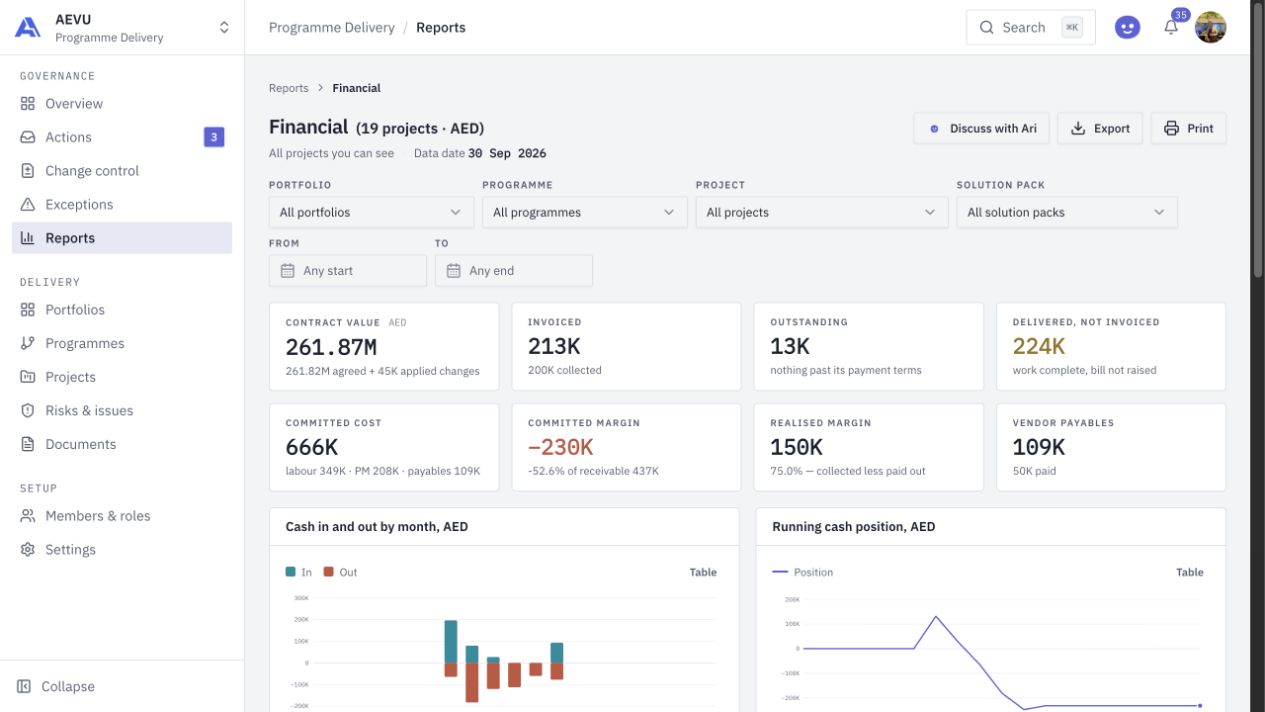
Track the client payment information associated with billing milestones and inspect what is invoiced, collected or still outstanding.

PROJECT FINANCIALS
Give delivery and finance a shared view of commitments. Connect project budgets, milestone payments, invoices, collections and vendor outflows to the work behind them.
THE CONNECTED WORKFLOW
Project economics become clearer when the plan and the commercial records are read together. AEVU supports the delivery-side financial picture, with permissions controlling access to amounts and cost information.
Track the client payment information associated with billing milestones and inspect what is invoiced, collected or still outstanding.
Bring vendor lines, payables and committed resource costs into the project’s cashflow conversation.
Use client engagements for commercial work, or planned budgets for internal and funded initiatives without inventing a customer invoice.
FROM QUESTION TO ACTION
Confirm the delivery profile, currency and relevant contract or planned budget.
Keep milestone payment records and authorised cost information current as delivery progresses.
Read financial and earned-value reports with their scope, data dates, currency and estimate labels intact.
A CLOSER LOOK
Yes. Internal and funded delivery profiles can use a planned budget without requiring client invoicing. Funded initiatives can also carry a funding reference.
Yes. Project and financial-report surfaces bring inflows and outflows into the delivery context. Their meaning depends on the records and selected basis shown on the screen.
No. The current connector imports project and related client records from a saved search. This does not imply invoice synchronisation, ERP transaction write-back or financial reconciliation.
BRING THE WHOLE PICTURE INTO FOCUS
Explore AEVU around a real workflow your team needs to improve.